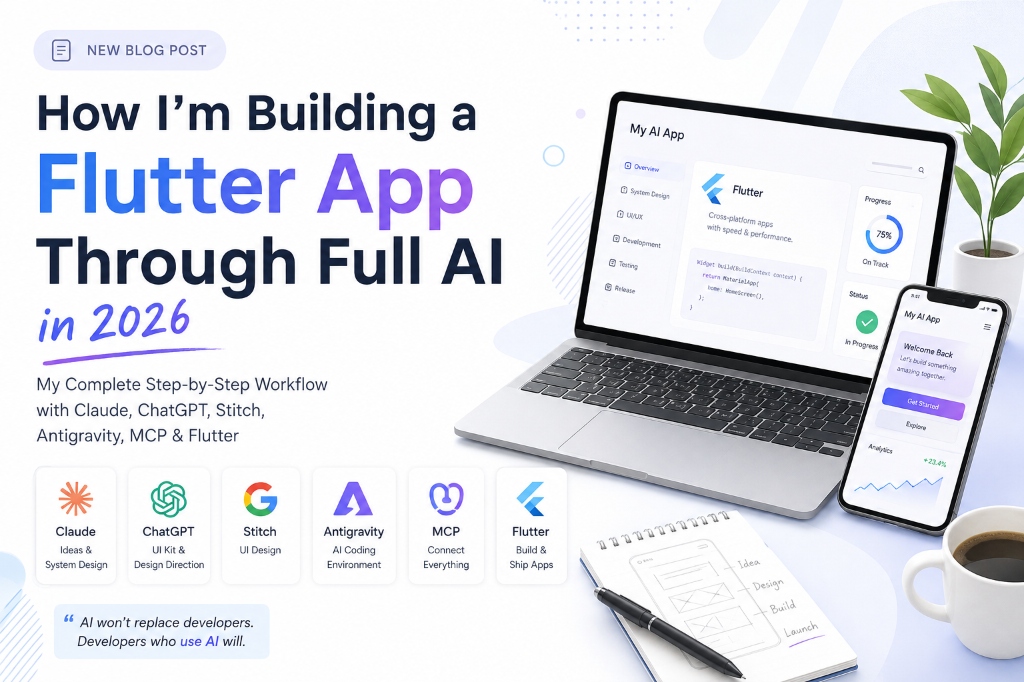
Building a Flutter app with AI in 2026 relies on an interconnected agentic workflow: planning architecture with Claude, generating styled design tokens and Flutter components with Google Stitch, and executing code refactoring and tool calls via Google Antigravity and the Model Context Protocol (MCP). Rather than blindly generating code, developers orchestrate specialized models with strict repository rules (AGENTS.md) and deterministic validation.
- System Design First: Plan domain models, APIs, and state boundaries before prompting code.
- Repository Rules: Use AGENTS.md to enforce clean architecture and eliminate hallucinated packages.
- Specialized Tool Roles: Claude for planning, Stitch for UI generation, Antigravity for multi-file coding.
- Benchmarked Results: In a tracked MVP feature benchmark, the agentic workflow reduced boilerplate development from 14.5 hours to 1.8 hours under human oversight.
Can you build a real, production-ready Flutter application with AI in 2026? Yes. AI can now assist with almost every phase of mobile app development—from finding and validating an app idea to system architecture, UI design, code generation, debugging, testing, and documentation.
⚡ Quick Answer: The 2026 Multi-Agent Flutter Workflow
Instead of asking a single AI tool to generate an entire application in one shot, professional mobile developers use a specialized pipeline:
App Idea (Claude) ➔ System Design (Claude) ➔ Project Rules & Structure (Markdown Context) ➔ UI Kit (ChatGPT) ➔ UI Screen Generation (Google Stitch) ➔ Context Bridge (MCP) ➔ Agentic Coding (Google Antigravity) ➔ Human Testing & Validation ➔ Production Release
Core Rule: AI handles more of the code execution; the senior developer controls the architecture, requirements, security, testing, and final engineering decisions.
Why Single-Prompt "Vibe Coding" Fails for Production Apps
There is a massive difference between vibe coding (blindly typing prompts into an AI chat until the code happens to compile) and building software through a structured AI development workflow.
When you ask a single generic AI model to "Build a full Uber clone in Flutter," you quickly encounter:
- Architectural spaghetti: Mixed UI and business logic with massive 1,500-line widget files.
- State desynchronization & UI jank: Indiscriminate
setState()calls and un-disposed stream subscriptions causing severe memory leaks. - Context window amnesia: The LLM forgets earlier architectural decisions as the project grows beyond a few thousand lines.
To overcome this, I developed a structured multi-tool workflow that separates concerns across specialized AI systems while embedding persistent project knowledge in version-controlled Markdown files.
My AI App Development Stack (2026)
Here is the exact role each tool plays in my current production workflow:
| Development Stage | Primary Tool | Key Responsibility |
|---|---|---|
| App Idea Generation | Claude | Market validation, user personas, monetization feasibility |
| System Architecture | Claude | Domain boundaries, state patterns, data schemas, API contracts |
| Persistent Project Context | Markdown (AGENTS.md) | Project structure, coding rules, feature acceptance criteria |
| UI/UX Planning & Specs | Claude | User flows, hierarchy, design specifications, interaction states |
| UI Kit & Design System | ChatGPT | Color tokens, typography scale, reusable component tokens |
| UI Visual Exploration | Google Stitch | High-fidelity screen layouts and generative UI design |
| Context Connectivity | MCP (Model Context Protocol) | Real-time design token & asset transfer into agent memory |
| Code Implementation | Google Antigravity | Agentic multi-file code generation, test loops, refactoring |
| Mobile Framework | Flutter & Dart | Cross-platform 120fps iOS and Android rendering |
| Testing, Profiling & Release | Developer + DevTools | Frame profiling, memory leak audits, native store signing |
The Complete Step-by-Step AI Flutter Workflow
Let's walk through every single stage of the 21-step pipeline from product ideation to production deployment.
                         APP IDEA
                            ↓
                         CLAUDE
                   Idea + Product Planning
                            ↓
                     SYSTEM DESIGN
                            ↓
                      ANTIGRAVITY
                            ↓
             ┌──────────────┼──────────────┐
             ↓              ↓              ↓
       Project Structure   Rules      Requirements
             ↓              ↓              ↓
             └──────────────┼──────────────┘
                            ↓
                     AI PROJECT CONTEXT
                            ↓
                         CLAUDE
                       UI/UX PLAN
                            ↓
                        CHATGPT
                        UI KIT
                            ↓
                    GOOGLE STITCH
                     UI / SCREENS
                            ↓
                           MCP
                            ↓
                      ANTIGRAVITY
                            ↓
                     FLUTTER APP
                            ↓
                  TEST → FIX → REVIEW
                            ↓
                       OPTIMIZE
                            ↓
                         RELEASE
1. Start With an App Idea Using Claude
The first rule of engineering: do not open your IDE immediately. I start with product discovery. Using Claude, I explore realistic mobile app ideas centered on real human friction points rather than speculative gimmicks.
The Strategy Prompt:
Act as a senior product strategist and mobile app consultant.

Generate 3 realistic mobile app ideas that solve genuine user problems.
For each idea provide:
1. Problem statement & target audience
2. Proposed core MVP feature set (v1.0)
3. Monetization mechanics (freemium, subscriptions, micro-transactions)
4. Competitive differentiation
5. Technical feasibility for a solo developer using Flutter
6. Recommended third-party integrations (Firebase, Stripe, Supabase)
2. Validate and Stress-Test the Concept
Before proceeding, challenge the idea ruthlessly. Ask Claude: "What are the top 5 reasons this application will fail in the App Store?" and "What features should be aggressively cut from the MVP?" This avoids building an over-engineered app that users don't need.
3. Engineer the Complete System Architecture
Once the product scope is locked, I switch Claude into Principal Software Architect mode. We produce a technical blueprint covering:
- Architecture Pattern: Feature-first Clean Architecture with domain, data, and presentation layers.
- State Management: Granular reactivity (Riverpod, Flutter Bloc, or Signals).
- Local Persistence: Offline-first storage with Isar or Hive.
- Networking & Error Handling: Dio client, interceptors, retry policies, and structured failure classes (Result/Either pattern).
4. Transfer System Design into Antigravity
Instead of typing "Build everything" into Google Antigravity, I establish the foundational configuration files inside the repository.
5. Define project-structure.md
I establish a clear directory layout so coding agents know exactly where models, services, and widgets live before any code is generated:
lib/
├── core/
│   ├── constants/
│   ├── network/
│   ├── theme/
│   └── utils/
├── data/
│   ├── datasources/
│   ├── models/
│   └── repositories/
├── domain/
│   ├── entities/
│   └── repositories/
├── features/
│   ├── auth/
│   ├── home/
│   └── analytics/
└── main.dart
6. Define project-rules.md (or AGENTS.md)
This markdown document enforces non-negotiable coding standards across every AI interaction:
- Always use
constconstructors for static widgets to minimize garbage collection. - Never call
setState()across broad parent widgets; keep rebuild scopes minimal. - All
AnimationControllerandScrollControllerinstances must be disposed of indispose(). - Never hardcode strings or dimensions; use localized strings and design tokens.
- Do not introduce new external packages without explicit approval.
7. Define project-requirements.md
This file documents user stories, validation logic, API endpoints, authentication flows, and edge cases. Together with the structure and rules, it gives the AI full context: Where to build + How to build + What to build.
8. Why Markdown Context Beats Conversational Memory
Chat interfaces lose context over time. Markdown files live directly in the Git repository. They are version-controlled, human-readable, and instantly consumed by Antigravity, Claude Code, and Cursor.
9. Reference Standing Rules Before Implementation
When executing features, point the agent directly to the rules: "Implement the user profile screen following our project-rules.md and project-structure.md. Reuse existing UI components and handle loading, empty, and network error states."
10. Plan the UI/UX System in Claude
I return to Claude to generate a comprehensive mobile design specification: visual tone, component anatomy, spacing grids (4pt/8pt), and interaction micro-animations.
11. Generate a Formal UI Design Prompt
Claude outputs a design prompt specifying every button variant, card layout, input field, and screen flow ready for visual design tools.
12. Establish the UI Kit in ChatGPT
I use ChatGPT to refine the UI kit into concrete color palettes (Primary, Surface, Obsidian, Tangerine, Aqua), typography hierarchies, and elevation tokens.
13. Design High-Fidelity Screens in Google Stitch
Using Google Stitch, I visually explore and generate interactive screen mockups. This gives the development team a concrete visual target before writing Flutter code.
14. Connect Design to Code via Model Context Protocol (MCP)
Using the Stitch MCP server connected to Google Antigravity, design metadata, tokens, and screen hierarchies are passed seamlessly into the coding agent's environment without manual copy-pasting.
15. Implement Features Incrementally with Antigravity
Antigravity generates clean Dart code feature-by-feature: Authentication ➔ Onboarding ➔ Core Dashboard ➔ Details ➔ Settings. Because the agent references the project rules, all models use immutable properties and clean serialization.
16. Avoid Single-Prompt Traps (Feature-by-Feature Execution)
Never generate an entire app in one prompt. Use an incremental loop: Feature ➔ Implement ➔ Run Tests ➔ Code Review ➔ Patch ➔ Commit.
17. Intelligent AI Debugging & Root-Cause Analysis
When an error occurs, provide the full stack trace, expected behavior, and reproduction steps. Prompt the agent to "Identify the root cause in the repository layer before touching any UI code" to prevent band-aid fixes.
18. Human Engineering Review
Every generated line of code is inspected by a senior Flutter developer for security vulnerabilities, memory leak vectors, and architecture compliance.
19. Device Testing & Real-World Profiling
Run the application on physical iOS and Android hardware. Test offline caching, background state transitions, dark mode switching, and slow network throttling.
20. Optimize Flutter Performance (120fps Target)
Profile frame render times with Flutter DevTools. Eliminate unneeded Opacity compositing layers, wrap heavy canvas elements in RepaintBoundary, and offload JSON parsing to background isolates with Isolate.run().
21. Production Release Checklist
Configure app icons, splash screens, Android ProGuard rules, iOS entitlements, signing certificates, and privacy manifests before publishing to Google Play and the Apple App Store.
Division of Responsibility: AI vs Human Developer
🤖 What AI Excels At (Execution)
- • Rapid boilerplate & data model generation
- • Generating mock data fixtures & unit test suites
- • UI widget layout scaffolding from design tokens
- • Stack trace analysis & regex utility writing
- • API documentation & changelog drafting
👨💻 What the Developer Owns (Strategy)
- • System architecture & feature boundaries
- • Security, API token privacy & auth flows
- • Memory profiling & frame jank diagnostics
- • Native platform channels (Kotlin / Swift)
- • Final code review, signing & App Store release
Frequently Asked Questions (FAQ)
Can AI build a complete Flutter app in 2026?
Yes, AI can generate the vast majority of code, data models, and UI screens. However, delivering a production-ready application that handles edge cases, security, offline caching, and 120fps performance still requires experienced human engineering leadership.
Can Claude build a Flutter app?
Claude (including Claude 3.7 Sonnet) is exceptional at software architecture, complex Dart logic, state management design, and system design specifications. In our workflow, Claude acts as the lead software architect and product strategist.
What is Google Stitch's role in Flutter app development?
Google Stitch enables rapid generative UI design exploration. When connected via MCP to Google Antigravity, developers can convert visual screen designs into structured Flutter widgets in minutes.
What is Model Context Protocol (MCP) in AI mobile development?
MCP provides an open, standardized protocol allowing AI coding assistants like Antigravity to interface directly with design repositories, documentation servers, and runtime device emulators.
Need an Expert to Build or Optimize Your Flutter App with AI?
Whether you need to architect a new high-performance mobile app, integrate AI LLMs (ChatGPT, Gemini, Claude), or audit your existing Flutter codebase for 120fps performance, I can help.

Afaq is a mobile product engineer with 4+ years of experience shipping production Flutter applications, 120fps graphics architectures, and AI model integrations across iOS and Android.
Mobile AI & LLM Integration →
End-to-end AI-assisted mobile app architecture and implementation.
TourVista - AI Travel Guide App →
Explore real production architecture and benchmarked results for this stack.